What is my ProQuest Ebook Central Profile ID and how do I find it?
Your Ebook Central Profile ID (also known as Bookshelf ID) is the key information to identify and retrieve your saved Bookshelf content after the access is changed to OpenAthens authentication.
From 26 June, you will be assigned a new Ebook Central Profile ID after signing into Ebook Central through the OpenAthens authentication for the first time.
IMPORTANT: If you submitted a bookshelf migration requestion prior to 26 June, the Library will contact you individually after 26 June to assist with the migration of your Bookshelf. Please reply to the email sent by the Library and include your new Ebook Central Profile ID to begin the migration process.
To find your unique Ebook Central Profile ID:
- Sign into the Ebook Central with your UOW credentials and open its homepage;
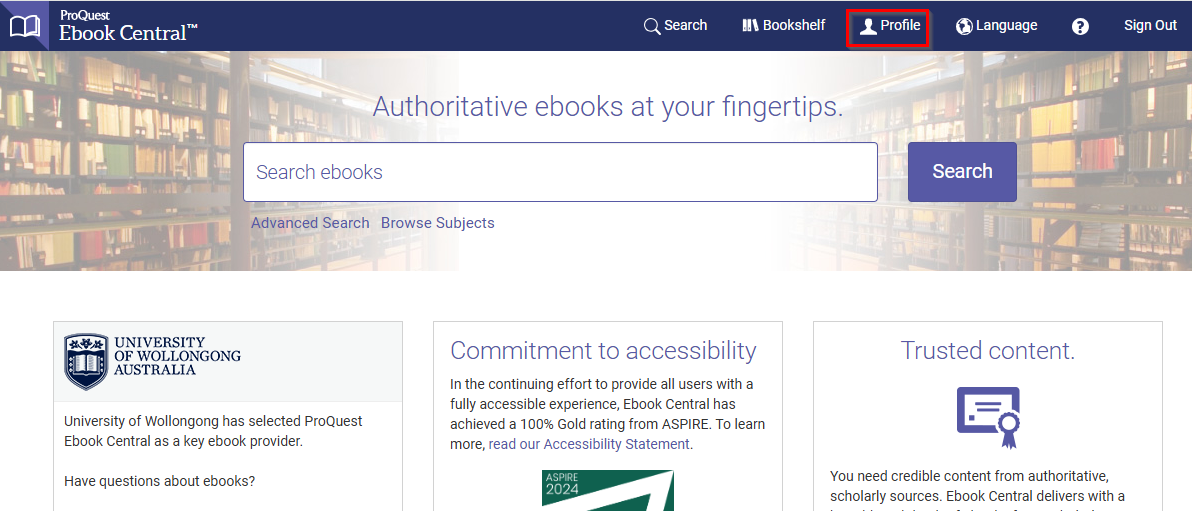
- Select 'Profile' from the top menu bar;
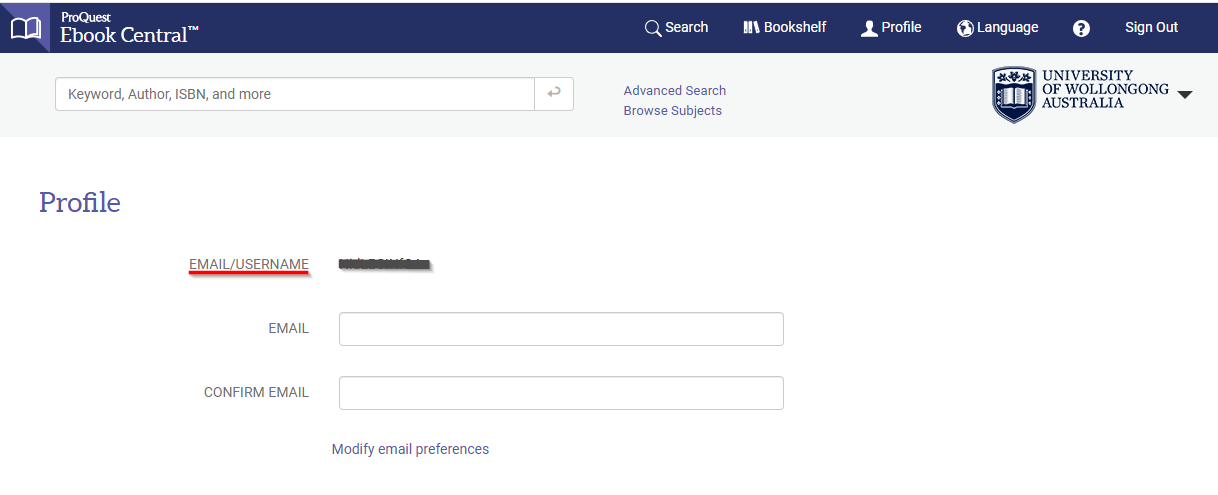
- On the Profile page, your Profile ID is displayed next to the 'EMAIL/USERNAME '. Your Profile ID is a string that contains a mix of letters, numbers and symbols.